Voice Streaming API — Real-Time Audio for Transcription, AI Voice Agents, and Analytics

Build Real-Time, AI-Driven Voice Experiences at Scale

Stream live call audio securely and in real time from EnableX Voice to any external system for advanced processing, analytics, or AI decisioning.

Real-time voice streaming API solution

What Is Voice Streaming?

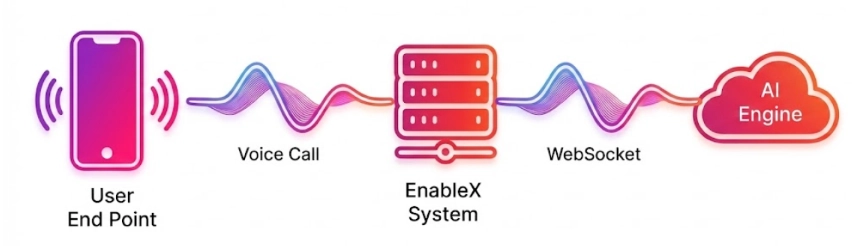
EnableX Voice Streaming is an extension of the EnableX Voice API that allows live audio from ongoing phone calls to be
streamed in real time over secure WebSocket connections to third-party systems.

Low-latency streaming

  • Stream caller and agent audio to external systems for analysis

  • Inject processed or generated audio back into the live call

  • Enable bidirectional, real-time interaction between callers and AI or automation systems

This unlocks a new class of real-time, programmable voice applications—beyond traditional IVR or post-call processing.

Key Capabilities

Bidirectional Voice Streaming

Send live audio from calls to your application and inject audio back into the same call. Build conversational AI agents, dynamic prompts, and real-time interventions with true two-way audio flow.

Ultra-Low Latency (<100 ms)

Sub-100ms end-to-end latency ensures natural conversations, real-time AI responses, and seamless caller experiences—critical for voice bots and live decisioning.

Seamless AI & ML Integration

Easily integrate with: - Speech-to-Text engines - Large Language Models (LLMs) - Sentiment and intent detection engines - Voice biometrics and fraud systems - Custom ML pipelines.

Enterprise-Grade Security

TLS / SRTP encrypted media streams with token-based authentication, built on a GDPR, HIPAA, and SOC 2 compliant architecture.

Real-Time Analytics & Monitoring

Monitor call quality, latency, stream health, and performance metrics through real-time dashboards and logs.

Global Scale & Reliability

99.99% uptime SLA with Redundant infrastructure across multiple regions.

Transformative Use Cases

AI-Powered Customer Support

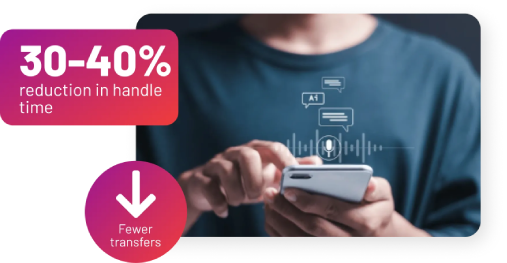
Deploy AI voice agents that handle routine queries, assist human agents in real time, and escalate intelligently when needed. Perform live sentiment analysis to adapt tone and responses dynamically.

WebRTC voice streaming

Cloud voice system

Intelligent Contact Center Routing

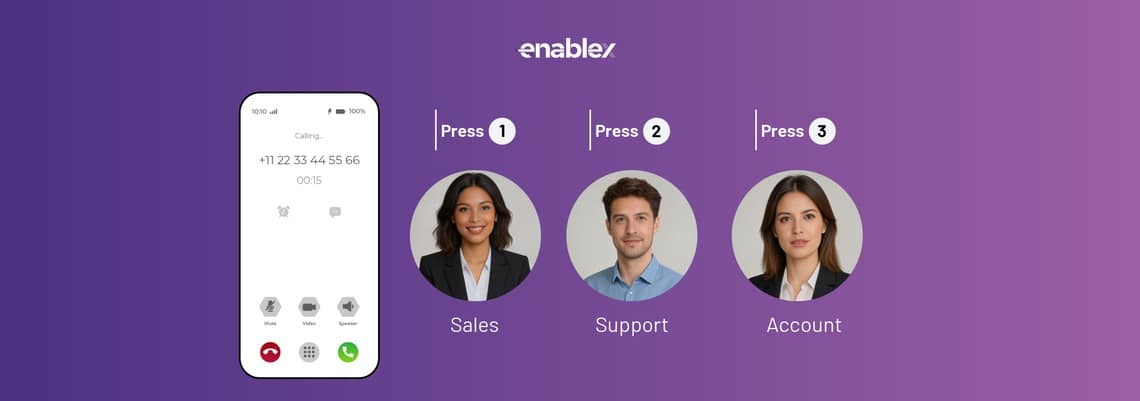
Stream audio to intent detection models that understand natural language in real time. Route calls instantly to the right agent—without rigid IVR trees.

Voice-Based Fraud Detection

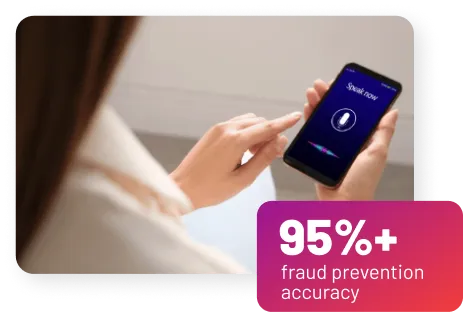
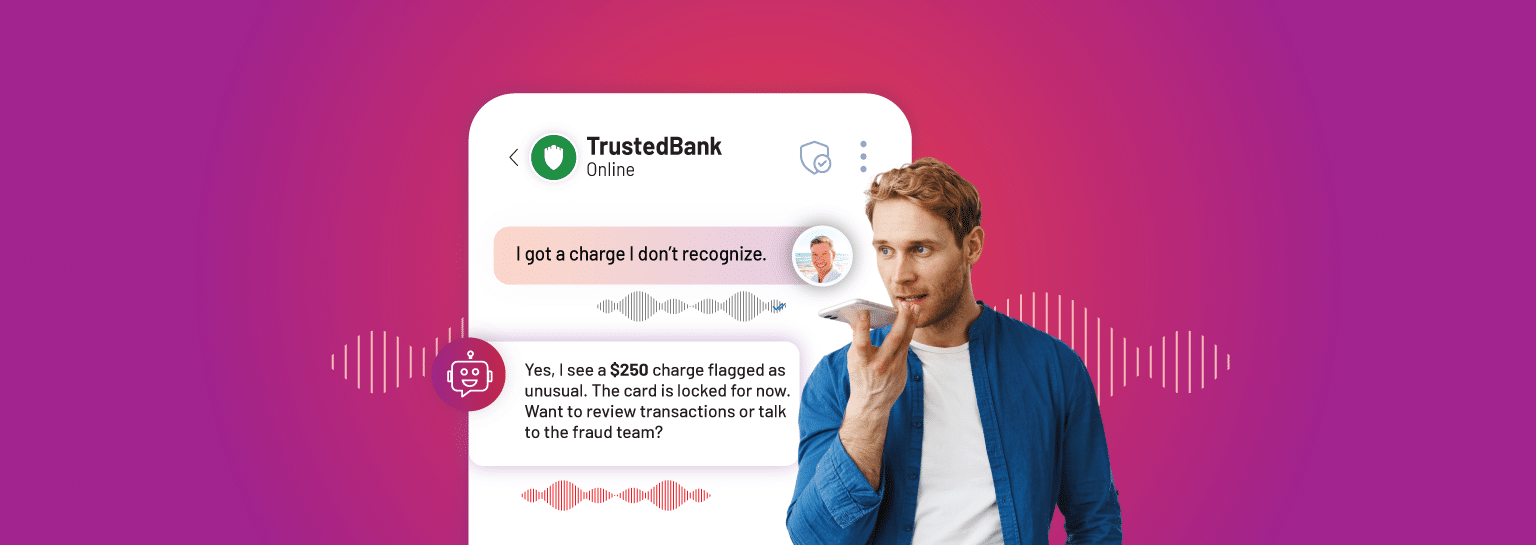
Analyze voice patterns and conversational behavior in real time to detect fraud, social engineering, or account takeover attempts during the call.

Secure voice streaming

EnableX vs Twilio, Plivo & Exotel

Capability EnableX Twilio Plivo Exotel
WebSocket audio streaming Yes Yes (Media Streams) Yes (Audio Streaming) Yes (Stream / Voicebot Applet)
Bidirectional (two-way) Yes Yes Yes Yes (Voicebot Applet)
Audio format Telephony-grade 8 kHz μ-law mono 8 kHz telephony-grade 16-bit 8 kHz PCM slin
Built-in speech-to-text Yes — 100+ languages, IndicVoices No (BYO ASR) No (BYO ASR) No (BYO ASR)
Indian-language accuracy 95%+ on major Indian languages Depends on your ASR Depends on your ASR Depends on your ASR
Managed AI voice agent included Yes (AI Voice Agent) No (BYO stack) No (BYO stack) Partial (Voicebot Applet + BYO AI)
On-prem / hybrid deployment Yes No No No
Full-stack CPaaS (Video+Voice+Msg+AI) Yes No No No (voice/SMS focus)
Meta-approved WhatsApp BSP Yes (via partner) Yes Yes Yes (via partner)
Primary region focus Global (India, SEA, Middle East Focus) Global (US-centric) Global (US-centric) India primary

How Voice
Streaming
Works

Step 01
Call Established Via EnableX Voice API (PSTN/SIP)
Step 02
EnableX securely forks the live audio stream
Step 03
Audio is streamed over WebSocket to your system
Step 04
Your system analyzes, transforms, or generates audio responses
Step 05
Processed audio can be injected back into the call in real time

Why Choose EnableX Voice Streaming?

7,000+

Enterprises trust EnableX globally

99.99% uptime SLA

for mission-critical voice workflows

<100ms

real-time latency for natural conversations

Up to 40% lower cost

compared to alternative platforms

Blogs, Product Updates and Much More

Latest Updates from EnableX

Frequently Asked Questions (FAQs)

1. What is a voice streaming API?

up arrow down arrow

A voice streaming API lets you fork the raw audio of a live phone call and stream it in real time over a WebSocket — to a speech-to-text engine, an AI voice agent, a sentiment-analysis service, or a supervisor dashboard. It's the plumbing behind most modern AI voice experiences.

Unlike call recording (which gives you an audio file after the call ends), voice streaming delivers the audio as it happens, with latency measured in hundreds of milliseconds. Every major CPaaS now offers some version of this: EnableX Voice Streaming API, Twilio Media Streams, Plivo Audio Streaming, Exotel Stream Applet. They differ in format, bidirectional support, deployment options, and how tightly they integrate with AI.

2. What is the EnableX Voice Streaming API?

up arrow down arrow

The EnableX Voice Streaming API forks the raw audio of any voice call on the EnableX platform and streams it over a WebSocket to a destination you specify — your transcription engine, your AI voice agent, your analytics pipeline, or your own application.

It is part of the broader EnableX Voice API stack and integrates directly with the EnableX AI Voice Agent and the Dialogs Cloud Conversational AI Platform — so you can stream audio to EnableX's own AI, a third-party model (OpenAI Realtime, Google Gemini, ElevenLabs, Deepgram), or your proprietary stack.

3. How does real-time voice streaming work over WebSockets?

up arrow down arrow

When a call is placed, EnableX opens a WebSocket connection to your URL, streams base64-encoded audio frames as the call progresses, and closes the socket when the call ends. Your server receives the audio, processes it, and optionally sends audio back for bidirectional use cases.

Control messages (call started, call ended, DTMF events) travel on the same socket. Your WebSocket endpoint must stay up for the duration of the call. EnableX handles reconnection, sequencing, and clock sync so you don't have to rebuild that logic.

4. What audio format does the EnableX Voice Streaming API use?

up arrow down arrow

EnableX streams raw audio frames over WebSocket as base64-encoded μ-law (ulaw) at 8000 Hz mono — the same telephony-grade format as Twilio Media Streams, compatible with all major ASR engines including Google Speech-to-Text, Deepgram, AWS Transcribe, and Azure Speech, so existing speech-to-text stacks work without re-encoding.

Both directions use the same format — audio received from EnableX and audio sent back into the call are both ulaw 8000 Hz mono, Base64 encoded in a JSON payload over the WebSocket connection.

5. Does the EnableX Voice Streaming API support bidirectional (two-way) streaming?

up arrow down arrow

Yes — bidirectional streaming is supported, so your WebSocket application can both receive caller audio and send audio back to be played on the call. This is what enables AI voice agents, conversational IVR, and real-time voice assistants.

Twilio, Plivo, and Exotel all offer bidirectional streaming on specific applets (Twilio bidirectional Media Streams, Plivo bidirectional audio streaming, Exotel Voicebot Applet). EnableX does the same, and additionally lets you hand off to the built-in EnableX AI Voice Agent without writing the WebSocket logic yourself.

6. Can I use EnableX Voice Streaming for real-time transcription (speech-to-text)?

up arrow down arrow

Yes. Real-time transcription is the single most common use case. Stream the audio to Google Speech-to-Text, Deepgram, AWS Transcribe, Azure Speech, OpenAI Whisper, ElevenLabs, or any ASR engine — or use EnableX's built-in speech-to-text, which supports 95%+ recognition accuracy across Indian languages using the IIT Madras IndicVoices dataset.

For Indian-language call centres, the EnableX built-in ASR often beats global engines on Hindi, Tamil, Telugu, Marathi, Bengali, and code-mixed Hinglish speech. Read our guide on building speech-to-text systems in WebRTC calling for architecture patterns.
7. Can I use EnableX Voice Streaming for voice authentication and biometrics?

up arrow down arrow

Yes. Raw streamed audio can be fed to a voice-biometrics engine to verify caller identity in the first few seconds of a call — useful for banking IVR, high-value support, and fraud prevention in BFSI.

EnableX's on-premise deployment option is a meaningful advantage here: regulated banks often cannot send voice biometrics to US cloud regions. EnableX deploys inside your datacentre or a private cloud in India / UAE / Saudi Arabia if required.

8. Can I use EnableX Voice Streaming for live call monitoring and supervisor coaching?

up arrow down arrow

Yes. Fork the audio of an agent call into a supervisor dashboard for live listen-in, live transcription with keyword alerts, or AI-driven whisper coaching that suggests what the agent should say next.

Because EnableX streams both sides of the call, you can surface sentiment, escalation risk, and compliance violations in real time — not hours later from recordings.

9. How does EnableX Voice Streaming work with the EnableX AI Voice Agent?

up arrow down arrow

The EnableX AI Voice Agent is built on top of the Voice Streaming API. If you want a managed, turnkey voice AI experience, you don't integrate the streaming API directly — you configure the AI Voice Agent and EnableX handles the WebSocket, ASR, LLM, and TTS stack end-to-end.

If you want to use your own LLM, your own ASR, or your own TTS, use the Voice Streaming API directly and plug in your stack. Both paths are first-class supported.

10. EnableX Voice Streaming vs Twilio Media Streams — which should I choose?

up arrow down arrow

Both stream raw audio over WebSocket with bidirectional support. Choose EnableX if you need on-premise deployment, Indian-language ASR built in, integrated AI Voice Agent, or a single vendor for Voice + WhatsApp Business API + Video + Conversational AI. Choose Twilio if you need global reach with US-centric cloud and a mature developer ecosystem.

Twilio Media Streams is cloud-only (US-centric regions), uses 8 kHz μ-law mono by default, and requires you to bring your own AI stack. EnableX Voice Streaming offers the same raw-stream capability plus on-prem / hybrid deployment, BSP-grade WhatsApp integration from the same account, and an optional built-in AI Voice Agent so you don't have to assemble ASR + LLM + TTS yourself. Twilio also killed its Video API in 2023, so if you need Video + Voice + Messaging on one platform, EnableX is the cleaner choice.

11. EnableX Voice Streaming vs Plivo Audio Streaming — how do they compare?

up arrow down arrow

Plivo Audio Streaming is a solid WebSocket audio-forking service with bidirectional support and similar telephony-grade audio format. EnableX offers the same streaming capability plus full-stack CPaaS (Video, WhatsApp Business API, RCS, Conversational AI), on-premise deployment for regulated industries, and built-in Indian-language ASR.

If your need is messaging-plus-voice-streaming on cloud infrastructure, Plivo is credible. If your need is voice streaming as one piece of a larger AI voice agent or contact-centre build — especially in India, SEA, or the Middle East — EnableX is the better match because the AI Voice Agent and Conversational AI Platform are already wired into the same platform.

12. How do I get started with the EnableX Voice Streaming API?

up arrow down arrow

Sign up for an EnableX account, enable Voice Streaming in the console, generate an API key, and point your WebSocket endpoint URL in the call configuration. Working samples are available in the Developer Docs.

Most developers have a bidirectional proof-of-concept running in under a day. For AI voice agent use cases, the managed EnableX AI Voice Agent path is typically faster than DIY WebSocket + LLM integration.